

Swati Tyagi
Senior Full Stack and Mobile App Developer
Master Linux from the command line to system administration — the foundational skill behind DevOps, cloud and backend engineering. Learn files, permissions, Bash scripting and server management through hands-on labs and placement support.

You will be able to build and administer production-grade Linux servers from scratch, configure secure networking, automate repetitive operations with robust Bash scripts, and troubleshoot memory or disk pressure on live Ubuntu and Red Hat machines. Almost every container, cloud instance, and database cluster runs on Linux, making command-line fluency the single highest-return skill you can acquire as a backend, cloud, or reliability engineer.
You start with the absolute fundamentals of the shell, navigating the filesystem hierarchy, and using text utilities like grep, sed, and awk inside a terminal. From there, you progress into deep system administration: managing users, configuring chmod and special permissions, inspecting PIDs with top and htop, and managing software packages using APT and DNF. You will learn how to write maintainable Bash scripts with conditionals, loops, and functions that automate daily administrative tasks, followed by securing remote access with OpenSSH and configuring firewalls with ufw.
Whether you are transitioning from support roles, upgrading your developer toolkit, or building a foundation for the Linux for Big Data curriculum, this training gives you the exact hands-on muscle memory required by modern engineering teams.
This program is designed for students, fresh graduates, backend developers, and aspiring infrastructure professionals who want to move past GUI dashboards and work directly with the operating system. You do not need any prior command-line experience. You only need a laptop, a terminal, and the willingness to learn by running commands and reading system logs when things break.
Classes take place via live online sessions in timezone-friendly cohorts, led by working engineers who manage production Linux fleets daily. You do not watch recorded theory; you type commands alongside the instructor, break test environments, fix them, and receive direct code reviews on your shell scripts. Lifetime access to session recordings and lab guides ensures you can revise concepts whenever necessary.
Engineering teams in remote-first companies and product startups evaluate candidates heavily on practical troubleshooting. When hiring for backend, cloud, or SRE positions, interviewers rarely ask multiple-choice questions about the kernel. Instead, they hand you a broken scenario: a disk partition at 100% capacity, a runaway process blocking port 8080, or an SSH daemon refusing public key logins. Your ability to navigate /var/log, inspect systemd service units, and pipe text utilities together under pressure is what separates successful candidates.
Graduates step into roles such as Linux System Administrator, DevOps Engineer, Site Reliability Engineer, and Cloud Support Specialist. Once you master the material here, diving into infrastructure automation becomes significantly easier, especially when you pair it with advanced training like the Advanced DevOps and Infrastructure Engineering Course.
Take the first step toward true infrastructure fluency and build the operating system foundation that powers the modern web.
A structured curriculum with real tools and outcomes built for the workplace.
You can navigate the Linux directory hierarchy, open a terminal, and run your first command-line utilities with confidence.
Hands-on project: Provision a local Linux virtual machine or WSL instance, explore the root directory structure, and use man pages to inspect core utilities.
You can create, link, edit, and search through files across the Linux filesystem hierarchy.
Hands-on project: Organize a messy directory structure according to the FHS, create hard and symbolic links, and locate files using find and grep.
You can manage local users and groups, configure file permissions, and secure privileged access using sudo.
Hands-on project: Configure a multi-user server environment with specific group access controls, restricted file permissions, and audited sudoers privileges.
You can filter, transform, and extract data from log files and streams using pipes, regular expressions, sed, and awk.
Hands-on project: Write a pipeline command to parse a raw web server access log, extract error codes, and format a summary report.
You can inspect running processes, control job execution, send signals, and monitor CPU, memory, and disk utilization.
Hands-on project: Identify a resource-leaking runaway process on a test server, adjust its priority using nice, and terminate it cleanly with appropriate signals.
You can install, update, and remove software packages across Debian and Red Hat systems while managing repositories and dependencies.
Hands-on project: Add a third-party package repository to an Ubuntu server, resolve a broken dependency state, and install a required web stack.
You can write robust Bash automation scripts featuring variables, conditionals, loops, functions, and error handling.
Hands-on project: Build an automated server backup script that archives critical directories, compresses them, and logs success or failure statuses.
You can configure network interfaces, troubleshoot connectivity, establish secure SSH tunnels, and secure servers with firewalls.
Hands-on project: Configure static networking, set up passwordless SSH login with key pairs, and write iptables rules to restrict inbound access.
You can partition disks, format filesystems, mount storage volumes via fstab, and understand the Linux boot sequence.
Hands-on project: Attach an unformatted storage disk to a Linux instance, partition it with parted, create an ext4 filesystem, and configure persistent mounting.
You can manage daemons with systemd, schedule automated tasks with cron, rotate system logs, and harden server security.
Hands-on project: Harden a Linux server by disabling root SSH login, configuring automated log rotation, and setting up cron maintenance jobs.
You can write a service unit and recover a server that will not boot cleanly.
Hands-on project: Package a script as a hardened systemd unit with restart policy and resource limits, break the boot deliberately by corrupting fstab, then recover the machine from rescue mode and explain the failure from journalctl.
You can find which resource is saturated on a slow server and prove the fix.
Hands-on project: Given a server under synthetic load, identify whether CPU, memory, disk or network is the bottleneck using vmstat, iostat and ss, apply one sysctl or ulimit change, and report the measured before-and-after.
You can independently set up, secure, automate, and troubleshoot a production Linux server from scratch.
Hands-on project: Build and harden a complete Linux server deployment featuring custom user access control, firewall rules, automated backup scripts, and systemd services.
Every instructor here ships production code for a living and teaches the same week they deploy.
5 learners sharing their experience

The Full-Stack Java developer program at Squarebrackets completely transformed my career. Learning Spring Boot and microservices architecture alongside React and Next.js gave me the exact modern stack companies are looking for. Building real-time projects using Apache Kafka and RabbitMQ for message queuing gave me the practical confidence I needed to ace my system design rounds.
Ankit transitioned from a legacy support engineer to a high-paying product development role after completing his 6-month intensive Java and JavaScript full-stack training at our Noida campus.

Squarebrackets took me from not knowing what a gradient was to building and deploying CNNs and Transformers. The maths-first approach made everything click, and the mentors pushed me through every hard concept.
Completed the Deep Learning Course at Squarebrackets and landed a deep learning role within two months.

Squarebrackets gave me the complete AI picture — from search algorithms and Bayesian reasoning to building LLM agents. The maths-first approach meant nothing was a black box, and the mentors pushed me through every project.
Completed the Artificial Intelligence Course at Squarebrackets and moved into an AI engineering role within two months.

The Java Full-Stack and DSA course at Squarebrackets completely changed my career trajectory. The focus on raw problem-solving with DSA alongside hands-on Spring Boot and React projects gave me the practical skills I needed. I went from struggling with basic coding rounds to cracking my technical interview with absolute confidence.
Aniket joined Squarebrackets as a college senior looking to transition from theoretical academic projects to production-ready software development. After completing our rigorous training program, he secured a placement as an Associate Software Engineer.
The live cohort broke down complex concepts like Spring Boot transaction management and React state handling in a way that made immediate sense for production work. Having worked through real backend architectures during class, my daily code reviews at work became much smoother.
Completed the Java Full Stack live training while balancing a full-time role, upgrading engineering skills through rigorous hands-on sessions.

“The Full-Stack Java developer program at Squarebrackets completely transformed my career. Learning Spring Boot and microservices architecture alongside React and Next.js gave me the exact modern stack companies are looking for. Building real-time projects using Apache Kafka and RabbitMQ for message queuing gave me the practical confidence I needed to ace my system design rounds.”

Software Engineer, Student
“Squarebrackets took me from not knowing what a gradient was to building and deploying CNNs and Transformers. The maths-first approach made everything click, and the mentors pushed me through every hard concept.”

Student
“Squarebrackets gave me the complete AI picture — from search algorithms and Bayesian reasoning to building LLM agents. The maths-first approach meant nothing was a black box, and the mentors pushed me through every project.”

Student
“The Java Full-Stack and DSA course at Squarebrackets completely changed my career trajectory. The focus on raw problem-solving with DSA alongside hands-on Spring Boot and React projects gave me the practical skills I needed. I went from struggling with basic coding rounds to cracking my technical interview with absolute confidence.”
Associate Software Engineer, Capgemini
“The live cohort broke down complex concepts like Spring Boot transaction management and React state handling in a way that made immediate sense for production work. Having worked through real backend architectures during class, my daily code reviews at work became much smoother.”

Student


Browse the common questions, or reach out and our team will help you directly.
10 courses in this collection
Microsoft Azure Solutions Architect & DevOps Expert (AZ-900, AZ-305, AZ-400) Beginner24 Weeks

Advanced DevOps and Infrastructure Engineering Course Beginner22 Weeks

Docker — From Zero to Production Intermediate12 Weeks (93 Hours)

Google Cloud (GCP) Advanced5 Months (20 Weeks)

Kubernetes: Beginner to Advanced Advanced8–12 weeks

Azure Cloud Advanced5 Months (20 Weeks)

System Monitoring & Observability Advanced4 Months (16 Weeks)
Git & GitHub Advanced12 Weeks (90 Hours)

Jenkins Intermediate3 Months (12 Weeks)

AWS Cloud Advanced5 Months (20 Weeks)
Best seller
Best seller
Best seller
New
Best seller
New
New
New
Trending
NewHands-on programming tracks with runnable code, from fundamentals to job-ready projects.
Kubernetes Beginner to Production Grade: A Hands-On DevOps Guide Beginner25 min
100 Days of DSA with Java Beginner to advanced100 days · 85 lessons published

100 Days of AI Engineering Beginner to advanced100 days · 57 lessons published


Articles to help you learn, grow, and get hired.
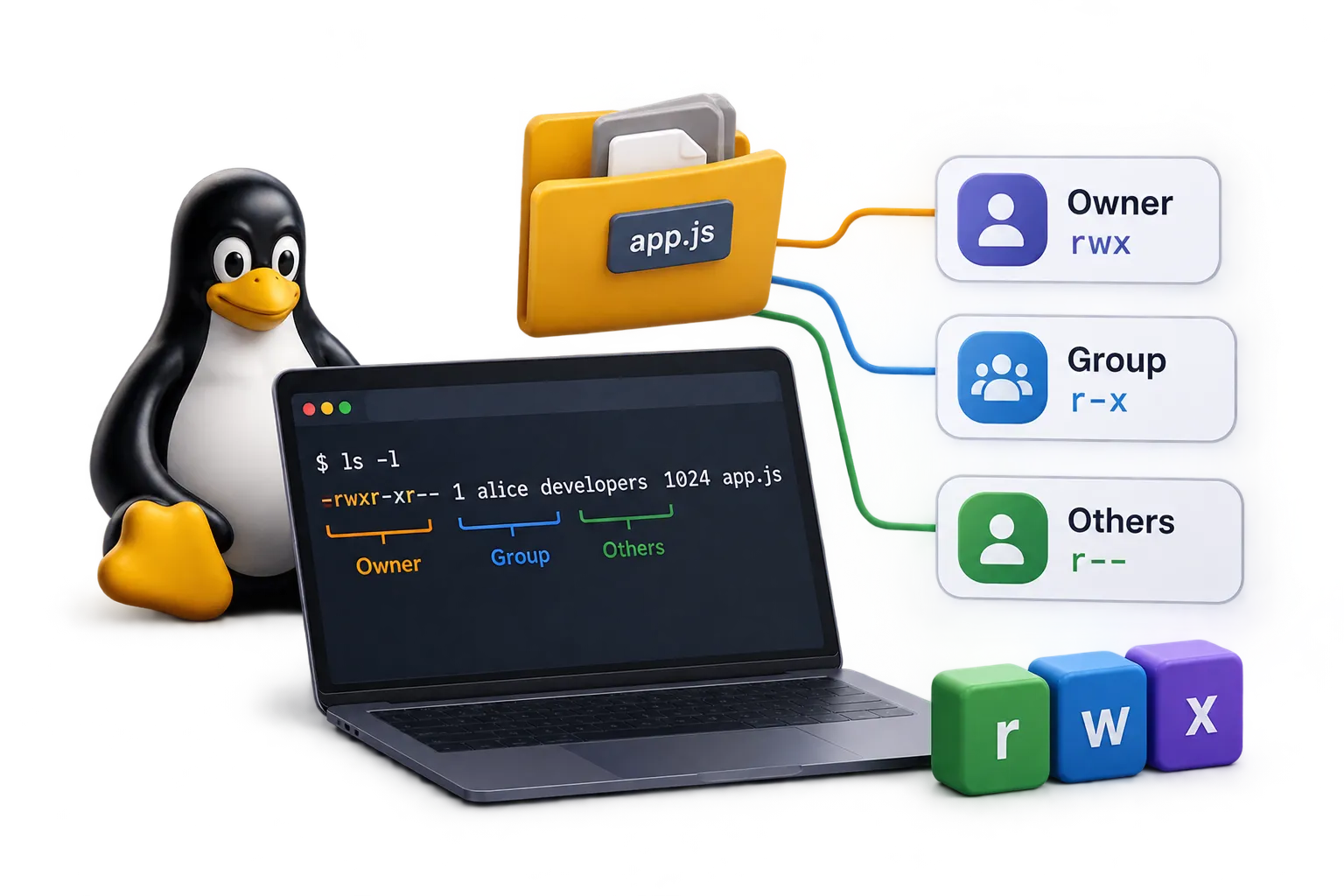
Linux Groups and File Permission: Complete Admin Guide 5 min11 Sept 2026

Terraform Architecture Explained: How It Works Under the Hood 5 min9 Sept 2026
Git vs GitLab: What's the Difference? (Simple Guide for Beginners) 5 min23 Jun 2026
Master Linux groups and File Permission with this practical guide covering user creation, group memberships, sudo privileges, and file permissions.

Demystify Terraform architecture. Learn how the Core, State files, Providers, and APIs interact to manage Infrastructure as Code safely.
TrendingA beginner-friendly guide to the real difference between Git and GitLab, explained in plain English with a simple real-life example anyone can understand.