

DevOps
Git vs GitLab: What's the Difference? (Simple Guide for Beginners)
A beginner-friendly guide to the real difference between Git and GitLab, explained in plain English with a simple real-life example anyone can understand.

 Hover to zoom
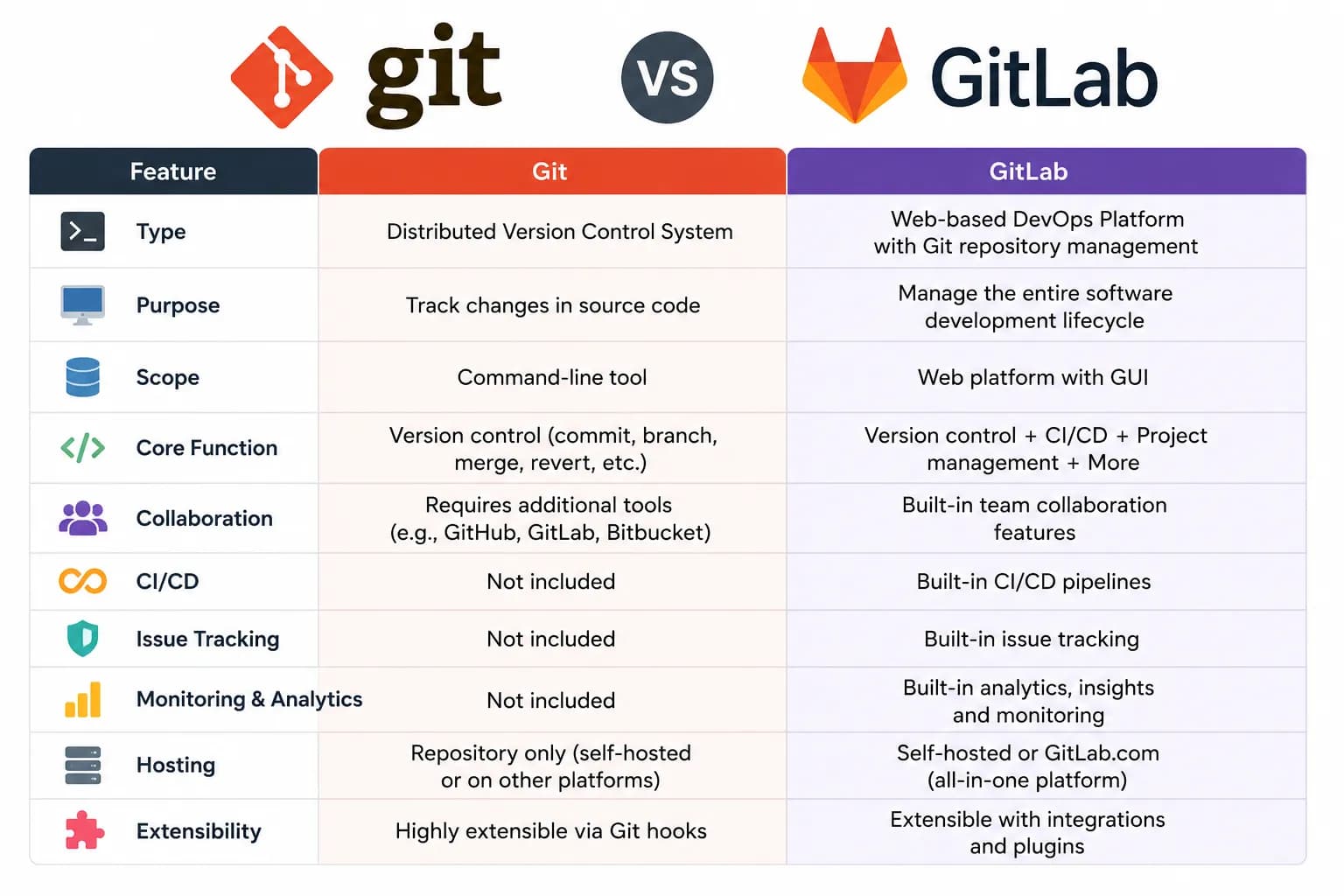
If you are just getting into coding, you have probably seen the words Git and GitLab everywhere and wondered if they are the same thing. A lot of beginners think you must pick one or the other. The good news is that they are not rivals at all. Git and GitLab actually work together as a team. This guide explains the difference in plain, everyday language, with a simple real-life example you will not forget. Real-life example: writing a book with friends Imagine you and three friends are writing a book together. Git is the magic notebook on each person's laptop. Every time someone edits a chapter, the notebook quietly saves that exact version, remembers who wrote it, and lets anyone rewind to yesterday's draft if a mistake sneaks in. GitLab is the shared online office where everyone uploads their chapters. Inside this office you can: • See all the drafts in one place, • Leave comments on a chapter before it becomes final (this is a merge request), • Hand out work, like Chapter 5 is yours (this is an issue), • Use a robot assistant that checks spelling and grammar automatically every time someone uploads (this is CI/CD). The office (GitLab) still relies on the magic notebook (Git) to remember every edit. Take away the notebook, and the office would have no memory of who changed what. That is exactly how Git and GitLab work together on real software projects.
Quick answer: Git is a free tool on your computer that saves and tracks every change you make to your code. GitLab is an online platform that stores your Git projects in the cloud and adds team features like code review, task tracking, and automatic testing. In one line: Git is the engine, and GitLab is the full car built around that engine.
What is Git? (in simple words)
Git is a version control system. That is a fancy way of saying it is a tool that remembers every change you make to your files. Think of it as an unlimited undo button for your code.
Here is what Git does, in plain terms:
- It saves a snapshot of your work whenever you ask it to. Each snapshot is called a commit.
- It remembers who changed what, and when.
- It lets you jump back to any older version if something breaks.
- It works fully offline, right on your laptop, with no internet needed.
- It was created in 2005 by Linus Torvalds, the same person who created Linux
What is GitLab? (in simple words)
GitLab is an online platform built on top of Git. While Git lives on your computer, GitLab lives on the internet (or on a private company server) and gives your code a shared home.
Here is what GitLab adds on top of Git:
- A place to store your code online, so it is backed up and easy to share.
- A friendly website where you can see your project without typing commands.
- Team collaboration, so many people can safely work on the same project.
- Code review through merge requests, where teammates check each other's work before it is added.
- Task and bug tracking using issues.
- Built-in CI/CD, which means automatic robots that test and deliver your code every time you make a change.
| GIT | GITLAB | |
|---|---|---|
| What is it? | A tool / software | An online platform |
| Where it runs | On your computer (local) | On the web, or a private server |
| Needs internet? | No, works offline | Yes, it is online |
| Main job | Tracks changes to your code | Stores, shares and manages projects |
| Cost | Free and open-source | Free plan, plus paid plans |
| Team collaboration | Basic, done manually | Built-in and easy |
| Automatic testing (CI/CD) | No | Yes, built in |
| Code review | No | Yes, through merge requests |
| Task and bug tracking | No | Yes, through issues |
| How you use it | Mostly commands | Visual website plus commands |
| Relationship | The foundation | Built on top of Git |
Where does GitHub fit in? (Git vs GitHub vs GitLab)
You will often see GitHub mentioned alongside these two, so here is the quick clear-up: Git is the tool that tracks your code (it runs on your machine). GitHub and GitLab are two competing online platforms that both use Git. Think of them like Coca-Cola and Pepsi: different brands doing a similar job.
Tools / Technologies
- Git Learn Here
- GitLab Learn Here
- GitHub Learn Here
Learning path Learn Here
- Git Basics
- Branching and Merging
- Working with Remotes
- Getting Started with GitLab
- Collaborating on GitLab
- GitLab CI/CD
- Advanced GitLab and DevOps
Frequently asked questions
About the author
Gs Dwiwedi
Gs Dwiwedi is Software Engineer at Xebia IT Architect. He serve as Co-founder and CTO as Squarebrackets.