

Web Development
What is Flyway & How to Use It in Java, Express, and Python
Learn what Flyway is and how to integrate this powerful database migration tool across Java, Express (Node.js), and Python applications with real-world examples.

 Hover to zoom
Every developer has lived through this nightmare: your application code is perfectly version-controlled in Git, but your database schema is a chaotic mess of manual SQL scripts. Understanding what is flyway helps you prevent these production schema drifts entirely. Someone forgot to run an `ALTER TABLE` on the staging server, and now the entire release is broken. If you are building a backend and want to understand how to build a robust Node.js server using Express.js, you also need to manage your database state correctly.
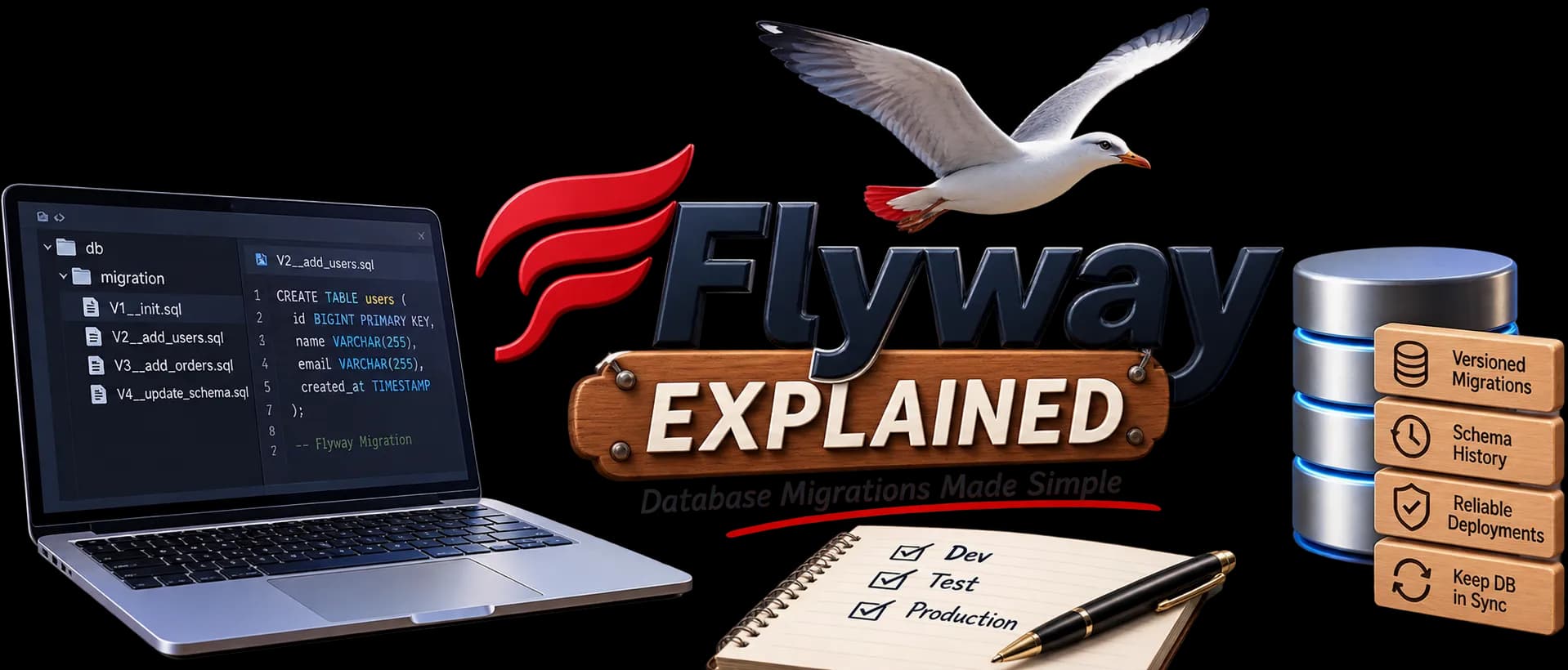
Flyway is an open-source database migration tool that treats your database schema changes with the same discipline as your application code. It uses simple SQL scripts or Java code to transition your database from one version to the next, ensuring consistency across development machines, staging environments, and production servers.
What is Flyway and Why Do You Need It?
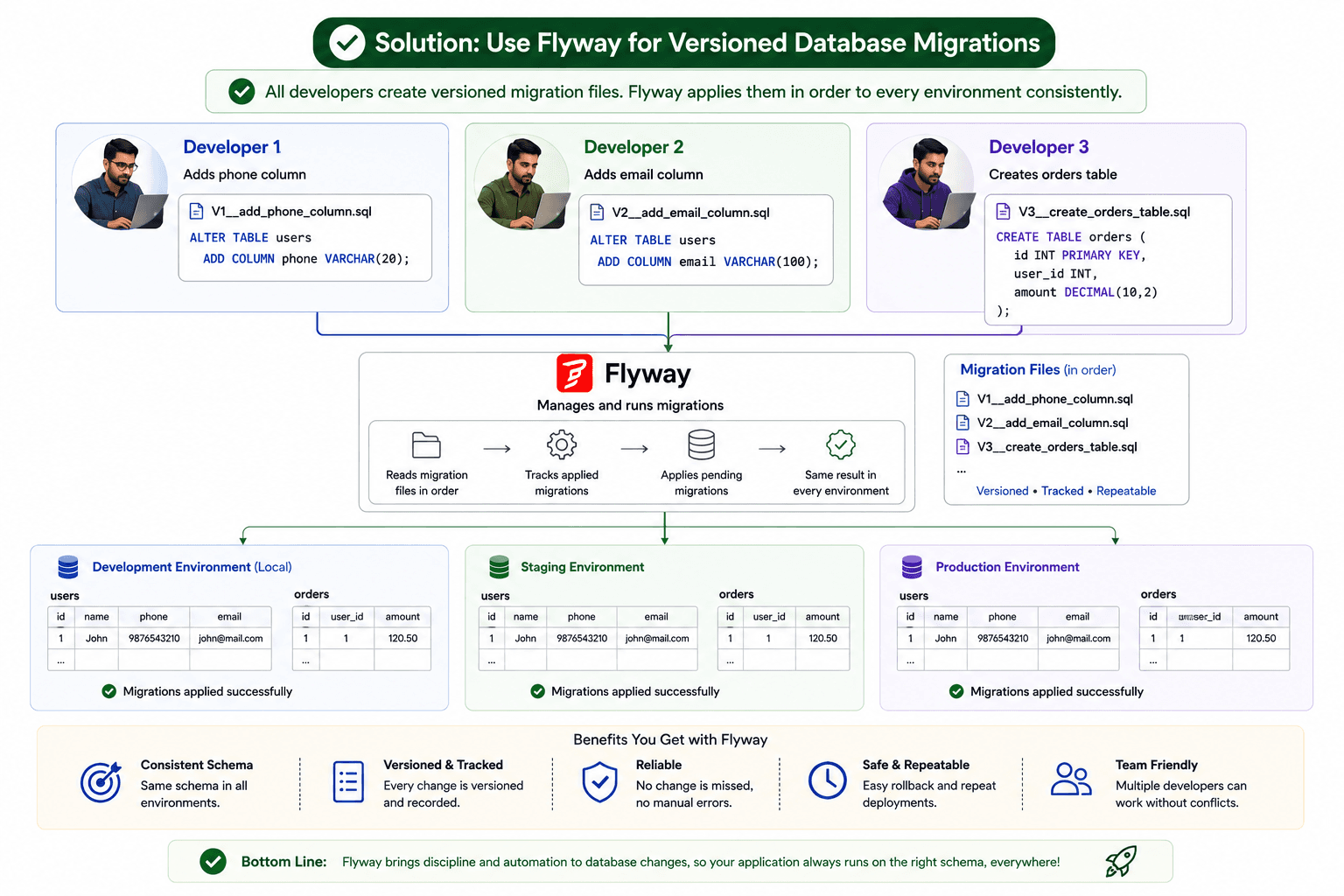
At its core, Flyway is a version control system for your database. Instead of manually running SQL scripts on different servers, you write migration scripts and let Flyway execute them automatically during your application startup or deployment pipeline.
When Flyway points to a database, it checks for a metadata table called `flyway_schema_history`. If the table does not exist, Flyway creates it. This table keeps track of which migration scripts have already been applied. When you add new migration files, Flyway scans them, compares their version numbers against the history table, and executes only the new ones in chronological order.
How Flyway Works: The Core Concepts
 Hover to zoom
To work with Flyway effectively, you need to understand its naming convention for migration files. Flyway relies heavily on file names to determine execution order. A typical migration filename looks like this: `V1__create_users_table.sql`.
- Prefix: 'V' for versioned migrations (runs once), 'U' for undo migrations, or 'R' for repeatable migrations (runs whenever its checksum changes).
- Version: A unique number containing dots or underscores, like '1' or '2023.10.24.1'. This determines the execution order.
- Separator: Two underscores ('__'). This is a strict requirement.
- Description: A short text describing the migration, with words separated by underscores or spaces.
- Suffix: The file extension, typically '.sql'.
| Versioned Migrations (V) | Repeatable Migrations (R) | |
|---|---|---|
| Execution frequency | Exactly once | Every time the file content changes |
| Version number | Required (e.g., V1, V2) | Not allowed (uses description only) |
| Use case | Creating tables, altering columns, adding indexes | Recreating views, stored procedures, triggers |
| Order of execution | Sorted by version number | Executed after all versioned migrations are applied |
How to Use Flyway in a Java Application
First, add the Flyway dependency to your `pom.xml` file if you are using Maven:
<dependency>
    <groupId>org.flywaydb</groupId>
    <artifactId>flyway-core</artifactId>
    <version>10.0.0</version>
</dependency>
Because Flyway is written in Java, its integration with the Java ecosystem is incredibly smooth, especially when using frameworks like Spring Boot. Spring Boot detects Flyway on the classpath and automatically runs migrations on startup.
Next, configure your database connection details in `src/main/resources/application.properties`:
spring.datasource.url=jdbc:postgresql://localhost:5432/myapp
spring.datasource.username=postgres
spring.datasource.password=secret

# Flyway runs automatically on startup by default
spring.flyway.enabled=true
Now, place your migration SQL scripts in the default directory: `src/main/resources/db/migration/`. Let's create our first migration file named `V1__init_schema.sql`:
CREATE TABLE customers (
    id SERIAL PRIMARY KEY,
    name VARCHAR(100) NOT NULL,
    email VARCHAR(100) UNIQUE NOT NULL,
    created_at TIMESTAMP DEFAULT CURRENT_TIMESTAMP
);
When you start your Spring Boot application, Flyway scans that directory, notices that `customers` table does not exist, executes the script, and logs the entry in `flyway_schema_history`.
How to Use Flyway in an Express (Node.js) Application
While Express applications are JavaScript-based, you can still use Flyway using the Flyway Command Line Interface (CLI) or Docker. This keeps your migrations database-agnostic and decoupled from your Node.js runtime.
The cleanest way to run Flyway in an Express project is using Docker Compose. Create a `docker-compose.yml` file in your project root:
version: '3.8'
services:
  db:
    image: postgres:15
    environment:
      POSTGRES_DB: express_db
      POSTGRES_USER: node_user
      POSTGRES_PASSWORD: node_password
    ports:
      - "5432:5432"

  flyway:
    image: flyway/flyway:10.0.0
    command: -url=jdbc:postgresql://db:5432/express_db -user=node_user -password=node_password migrate
    volumes:
      - ./migrations:/flyway/sql
    depends_on:
      - db
Create a directory named `migrations` in your project root and add your migration script `V1__create_products.sql`:
CREATE TABLE products (
    id SERIAL PRIMARY KEY,
    title VARCHAR(255) NOT NULL,
    price DECIMAL(10, 2) NOT NULL
);
To run your migrations, simply run `docker-compose up`. The Flyway service will wait for the database, apply the migrations, and exit, leaving your Express app ready to connect to a fully-configured database.
How to Use Flyway in a Python Application
Python developers often use Alembic or Django migrations, but Flyway is an excellent alternative when working in polyglot teams where multiple microservices (written in Java, Go, or Python) share database practices. You can run Flyway in Python using the standalone Flyway CLI.
First, download the Flyway CLI for your operating system. In your Python project, organize your files with a dedicated migrations directory and a `flyway.conf` configuration file:
# flyway.conf
flyway.url=jdbc:postgresql://localhost:5432/python_db
flyway.user=py_user
flyway.password=py_password
flyway.locations=filesystem:./db/migrationsCREATE TABLE orders (
id SERIAL PRIMARY KEY,
order_date DATE NOT NULL,
total_amount NUMERIC(12, 2)
);Write your migration script in `db/migrations/V1__add_orders.sql`:
You can trigger these migrations from your Python code or deployment scripts using the `subprocess` module. This is particularly useful right before your Flask or FastAPI application starts up:
import subprocess
import sys

def run_migrations():
    print("Running database migrations with Flyway...")
    result = subprocess.run(["flyway", "-configFiles=flyway.conf", "migrate"], capture_output=True, text=True)

    if result.returncode != 0:
        print("Migration failed!")
        print(result.stderr)
        sys.exit(1)

    print(result.stdout)
    print("Migrations completed successfully!")

if __name__ == "__main__":
    run_migrations()
When running migrations in production, always ensure your CI/CD pipeline runs `flyway migrate` before starting the application container to prevent race conditions during schema updates.
Flyway vs. Other Migration Tools
How does Flyway stack up against other popular database migration tools? Let's take a quick look at how it compares to Liquibase and native ORM migrations.
| Feature | Flyway | Liquibase | Prisma / TypeORM / Alembic |
|---|---|---|---|
| Migration Format | Plain SQL or Java | XML, YAML, JSON, or SQL | TypeScript / Python / Declarative |
| Learning Curve | Very Low (just write SQL) | Medium to High | Low to Medium |
| Language Agnostic | Yes (via CLI/Docker) | Yes (via CLI/Docker) | No (tied to specific runtime/ORM) |
| State Tracking | Database history table | Database history table | Typically schema diffing |
Where to Go from Here
Understanding Flyway database migrations and integrating it into your development stack eliminates the works-on-my-machine syndrome for database schemas. Whether you are building a backend in the Java Full Stack with Microservices & GenAI course, an Express backend, or a Python service, Flyway provides a unified, simple, and reliable way to manage your database evolution. By version-controlling your SQL schema changes alongside your code, you ensure painless, repeatable deployments across your entire infrastructure.