
Web Development
Sending Mail Using Nodemailer: A Production Engineering Guide
Master sending mail using Nodemailer in Node.js. Configure pooled SMTP transports, design HTML templates, avoid event loop lag, and queue delivery in production.

 Hover to zoom
Your user clicks "Reset Password" and waits. Three seconds pass, the browser spinner keeps turning, and your server's event loop stutters because an unpooled SMTP handshake is blocking an active Node.js thread. When twenty users hit that endpoint simultaneously during a morning traffic spike, connections time out, your database connection pool starves, and verification emails vanish into unhandled promise rejections.
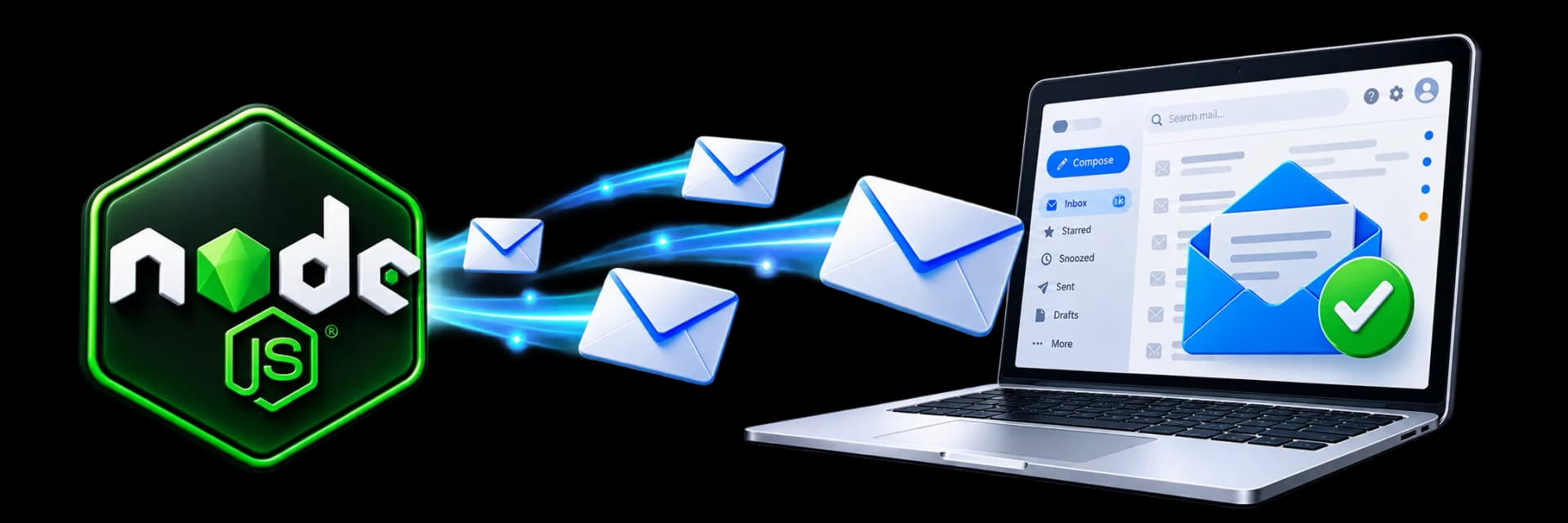
Sending mail using nodemailer is often the first third-party integration a backend engineer writes, yet it is routinely shipped with fragile defaults. A basic code snippet copied from a forum works on localhost with a mock account, but production demands connection pooling, DKIM signing, template rendering, and asynchronous queueing. In this guide, you will build a resilient dispatch pipeline that handles connection drops, respects upstream rate limits, and isolates your HTTP API from mail server latency.
How SMTP Transport Works Under the Hood
Sending an email is not an HTTP POST request to a single web server. It is a stateful conversation over the Simple Mail Transfer Protocol (SMTP) that requires multiple TCP network round-trips before a single byte of your email body reaches disk. Your Node.js application acts as a Mail User Agent (MUA) or a relay client, opening a socket to a Mail Transfer Agent (MTA) such as Postfix, Amazon SES, or SendGrid.
Think of SMTP like mailing a certified package at a post office counter. You do not drop the box on the floor and walk away. You greet the clerk, verify your identity with credentials, state the sender address on the package slip, confirm the recipient exists, hand over the contents piece by piece, and wait for a stamped receipt number before leaving the building. The difference is that software networks can drop packets halfway through the conversation, leaving the counter clerk waiting while your application assumes the delivery succeeded.
If you open this socket anew for every single notification, your application burns CPU cycles negotiating TLS certificates and spends hundreds of milliseconds waiting on network round-trips. Understanding this conversational structure explains why connection pooling is mandatory in serious backend applications.
Setting Up Nodemailer with TypeScript and Modern Node.js
Nodemailer is a zero-dependency module maintained by Andris Reinman that has powered Node.js mail delivery for over a decade. To use it in a modern Node.js 20 or 22 project with strict type definitions, install the core library alongside its TypeScript types and an environment parser.
mkdir email-service && cd email-service
npm init -y
npm install nodemailer dotenv
npm install --save-dev typescript @types/node @types/nodemailer tsx
Never hardcode your credentials. Create an environment configuration module that validates the presence of your SMTP host, port, authentication credentials, and default sender address at startup. A missing variable should crash the service immediately on boot rather than failing silently when an actual customer attempts to register.
import nodemailer from 'nodemailer';
import dotenv from 'dotenv';

dotenv.config();

const smtpPort = parseInt(process.env.SMTP_PORT || '587', 10);

export const mailer = nodemailer.createTransport({
  host: process.env.SMTP_HOST,
  port: smtpPort,
  secure: smtpPort === 465, // true for port 465, false for other ports
  auth: {
    user: process.env.SMTP_USER,
    pass: process.env.SMTP_PASS,
  },
  // Fail quickly if remote host does not answer
  connectionTimeout: 10000, // 10 seconds
  greetingTimeout: 5000,    // 5 seconds
  socketTimeout: 15000,      // 15 seconds
});

// Verify connection configuration on application startup
mailer.verify((error, success) => {
  if (error) {
    console.error('SMTP Transport failed to connect:', error.message);
  } else {
    console.log('SMTP Transport ready to accept messages');
  }
});
Notice the timeout configurations on lines 16 to 18. By default, Node.js sockets will wait indefinitely if a remote server stops responding during an active session. Explicit timeouts prevent dangling sockets from accumulating in memory when your upstream mail provider experiences network degradation.
How Do You Send HTML Emails with Attachments and Inline Images?
Plain text emails get filtered or ignored by modern recipients, but constructing multipart MIME messages by hand is notoriously difficult. A standard commercial message requires both a plain text fallback for accessibility devices and screen readers, and a styled HTML body with embedded brand assets.
When including images in HTML emails, developers often link to public URLs hosted on Amazon S3 or a CDN. Many mail clients (such as Microsoft Outlook and Apple Mail) block remote images by default to protect user privacy. To guarantee your logo appears without asking the user to click "Display external images", embed the image directly into the message using Content-ID (CID) attachments.
import path from 'node:path';
import { mailer } from './mailer.js';

interface EmailPayload {
  to: string;
  name: string;
  invoiceNumber: string;
  pdfBuffer: Buffer;
}

export async function sendInvoiceEmail(payload: EmailPayload) {
  const info = await mailer.sendMail({
    from: '"Squarebrackets Billing" <[email protected]>',
    to: payload.to,
    subject: `Invoice #${payload.invoiceNumber} for ${payload.name}`,
    text: `Hello ${payload.name},

Your invoice #${payload.invoiceNumber} is attached as a PDF.

Thank you for learning with us.`,
    html: `
      <div style="font-family: Arial, sans-serif; max-width: 600px; margin: 0 auto; color: #1e293b;">
        <div style="text-align: center; padding: 20px 0;">
          <img src="cid:company-logo" alt="Logo" style="width: 140px; height: auto;" />
        </div>
        <h2 style="color: #0f172a;">Payment Received</h2>
        <p>Hi ${payload.name},</p>
        <p>Thank you for your business. We have attached invoice <strong>#${payload.invoiceNumber}</strong> below.</p>
        <div style="border-top: 1px solid #e2e8f0; padding-top: 16px; margin-top: 24px; font-size: 12px; color: #64748b;">
          Sent by Squarebrackets. Online cohorts in IST for teams across Delhi NCR and worldwide.
        </div>
      </div>
    `,
    attachments: [
      {
        filename: 'logo.png',
        path: path.resolve(process.cwd(), 'assets/logo.png'),
        cid: 'company-logo', // Referenced in the img src attribute
      },
      {
        filename: `invoice-${payload.invoiceNumber}.pdf`,
        content: payload.pdfBuffer,
        contentType: 'application/pdf',
      },
    ],
  });

  return info.messageId;
}
Examine line 21 in the code block above: the HTML image tag points to `cid:company-logo`. Nodemailer sets the `Content-Disposition: inline` header and matches the `Content-ID` to that string. The email client renders the graphic immediately from the local payload, eliminating layout shifting and privacy prompts.
Why Does Sending Mail Using Nodemailer Block Your Express Server?
The single most common flaw in full-stack applications is executing `await mailer.sendMail(...)` directly inside an Express route handler. If you are building APIs following our Express HTTP methods tutorial, you already know that Node.js uses a single-threaded event loop to handle concurrent web traffic.
While Nodemailer uses non-blocking asynchronous socket I/O under the hood, the total round-trip time of an SMTP transaction still averages 1.2 to 3.5 seconds. If your server receives 50 registration requests per second during peak hours, and every request awaits `sendMail`, the Express HTTP worker pool fills up with uncompleted promises. Clients experience latency spikes, web browsers time out, and incoming traffic drops.
If your SMTP provider encounters a temporary network glitch or drops the TCP socket mid-handshake, your user-facing signup endpoint throws an unhandled HTTP 500 error. The user assumes account registration failed and clicks submit four times, creating duplicate database records while the original email actually arrived late. Mail delivery must be decoupled from the HTTP request-response lifecycle.
Decoupling Email Delivery with Message Queues
To protect your API response times and preserve failed messages during server crashes, place a queue between Express and Nodemailer. A background worker picks up jobs, manages retries with exponential backoff, and tracks dispatch status. In modern Node.js microservice architectures, developers reach for either Redis-backed engines like BullMQ or AMQP brokers like RabbitMQ.
If your team already uses message brokers for inter-service communication as taught in our RabbitMQ with Node.js practical guide, you can publish an event named `user.registered` and let a dedicated email worker consume it. For standalone projects, BullMQ running on an in-memory Redis instance gives you production-grade queueing in a few lines of code.
Here is how you separate the worker process from your web API using BullMQ. The Express route enqueues a lightweight job payload containing only identifiers, and the background worker executes the transport logic with built-in retry parameters.
import { Queue, Worker, Job } from 'bullmq';
import { mailer } from './mailer.js';

const connection = { host: process.env.REDIS_HOST || '127.0.0.1', port: 6379 };

// 1. The Queue: Export this to call within your Express controllers
export const emailQueue = new Queue('mail-dispatch', { connection });

export async function queueWelcomeEmail(user: { id: string; email: string; name: string }) {
  await emailQueue.add(
    'send-welcome',
    {
      userId: user.id,
      to: user.email,
      name: user.name,
    },
    {
      attempts: 5,
      backoff: {
        type: 'exponential',
        delay: 5000, // 5s, 10s, 20s, 40s...
      },
      removeOnComplete: true,
      removeOnFail: false,
    }
  );
}

// 2. The Worker: Runs in a separate process or background thread
const emailWorker = new Worker(
  'mail-dispatch',
  async (job: Job) => {
    if (job.name === 'send-welcome') {
      const { to, name } = job.data;

      const result = await mailer.sendMail({
        from: '"Support" <[email protected]>',
        to,
        subject: 'Welcome to the Platform',
        text: `Hello ${name}, welcome aboard!`,
      });

      return { messageId: result.messageId };
    }
  },
  {
    connection,
    concurrency: 5, // Process up to 5 emails simultaneously
  }
);

emailWorker.on('failed', (job, err) => {
  console.error(`Job ${job?.id} failed after ${job?.attemptsMade} attempts:`, err.message);
});
Notice line 20: `attempts: 5` paired with exponential backoff. If your remote SMTP host drops the socket due to rate limiting or scheduled maintenance, BullMQ holds the message and re-attempts dispatch after an increasing interval without dropping user notifications.
Configuring SMTP Connection Pooling and Rate Limits
Opening and closing TCP connections for every message in a queue burns through socket descriptors and causes your operating system to hold connections in the `TIME_WAIT` state. Nodemailer includes a battle-tested connection pool that keeps sockets warm and multiplexes messages across persistent connections.
Configuring the pool requires balancing three parameters: `maxConnections`, `maxMessages`, and `rateLimit`. If you launch 50 worker threads against an upstream provider that caps your account at 14 emails per second (such as the default tier of Amazon SES), sending mail without rate limits will trigger `454 Throttling` exceptions.
| Configuration Key | Recommended Value | Operational Impact |
|---|---|---|
| pool: true | Boolean flag | Switches Nodemailer from ephemeral single-use sockets to persistent pooled TCP connections. |
| maxConnections | 3 to 10 | The maximum number of simultaneous socket connections opened to the SMTP cluster. |
| maxMessages | 100 | How many messages to send over a single socket before destroying and recreating it to prevent memory leaks. |
| rateLimit | 14 | Upper limit on message dispatches per second across all pooled sockets to prevent server-side throttling. |
| rateDelta | 1000 | The sliding window in milliseconds used to calculate and enforce the rateLimit threshold. |
Here is the production-ready transport configuration integrating the connection pool. This is the exact configuration profile we teach developers when architecting backend platforms in our MERN Stack with Microservices & Gen AI course.
import nodemailer from 'nodemailer';

export const pooledMailer = nodemailer.createTransport({
  pool: true,
  host: 'email-smtp.us-east-1.amazonaws.com',
  port: 465,
  secure: true, // Use TLS directly
  auth: {
    user: process.env.SES_SMTP_USER,
    pass: process.env.SES_SMTP_PASS,
  },
  maxConnections: 5,   // Maximum concurrent sockets
  maxMessages: 100,     // Recycle socket after 100 emails
  rateLimit: 14,        // Cap at 14 messages per second
  rateDelta: 1000,      // Sliding window: 1 second
  socketTimeout: 30000, // Close idle socket after 30 seconds of silence
});
Securing Emails with DKIM, SPF, and Clean Headers
Writing clean JavaScript code means nothing if your emails land in your customer's spam folder. In 2024, Google and Yahoo introduced mandatory authentication requirements for all bulk and transactional senders. If your messages lack valid SPF (Sender Policy Framework) and DKIM (DomainKeys Identified Mail) signatures, remote mail servers will reject your traffic with `550-5.7.26` delivery codes.
SPF confirms that your sending server's IP address is authorized to send mail on behalf of your domain name via DNS TXT records. DKIM takes this further by cryptographically signing the message headers and body using a private key. The recipient's mail server fetches your public key from DNS and verifies that the message was not modified in transit.
While transactional relay services usually sign DKIM automatically, self-hosted SMTP relays or custom corporate domains require local signing. Nodemailer provides first-class support for signing messages with an RSA private key directly before transmission.
import fs from 'node:fs';
import path from 'node:path';
import nodemailer from 'nodemailer';

const dkimPrivateKey = fs.readFileSync(
  path.resolve(process.cwd(), 'keys/dkim-private.key'),
  'utf8'
);

export const secureMailer = nodemailer.createTransport({
  host: 'smtp.mailgun.org',
  port: 587,
  secure: false,
  auth: {
    user: process.env.SMTP_USER,
    pass: process.env.SMTP_PASS,
  },
  // Cryptographically sign every outgoing envelope
  dkim: {
    domainName: 'squarebrackets.in',
    keySelector: 'mailer2026', // Points to mailer2026._domainkey.squarebrackets.in in DNS
    privateKey: dkimPrivateKey,
  },
});
When generating DKIM keys, choose an RSA key length of 2048 bits. Keys under 1024 bits are considered insecure by major inbox providers and will cause deliverability penalties. Keep the private key file out of source control and inject it as a secure secret or environment variable during deployment.
Common Nodemailer Mistakes and How to Debug Them
Over years of teaching engineers in live online cohorts across Delhi NCR and globally, we see developers stumble into the same operational traps when deploying email functionality. Being able to diagnose these issues quickly distinguishes experienced backend developers from beginners.
- Buffer Bloat from File Attachments: Passing massive 20MB PDF or CSV buffers directly into sendMail consumes V8 heap memory. Read large attachments as readable Node.js streams instead of loading raw buffers into memory.
- Mismatched Port and Security Flags: Setting secure: true on port 587 or secure: false on port 465 causes immediate TLS socket negotiation freezes and ETIMEDOUT crashes.
- Leaking Unsanitized HTML: Interpolating raw user strings into email templates without escaping allows CSS and HTML injection attacks that break layouts or trick users into clicking malicious phishing links.
- Ignoring the Unsubscribe Header: Forgetting the List-Unsubscribe header on non-critical notifications violates RFC 2369 and triggers automated spam demotions across Gmail and Apple Mail.
To stream a generated report directly from disk without allocating large heap memory arrays, provide a file path or a `fs.createReadStream` stream directly in the attachments array. Nodemailer handles piping the stream chunk by chunk directly into the outgoing socket.
import fs from 'node:fs';
import path from 'node:path';
import { mailer } from './mailer.js';

export async function sendLargeReport(recipientEmail: string, reportFilePath: string) {
  return await mailer.sendMail({
    from: '"Analytics" <[email protected]>',
    to: recipientEmail,
    subject: 'Monthly Data Export',
    text: 'Please find your monthly analytics archive attached.',
    attachments: [
      {
        filename: path.basename(reportFilePath),
        // Stream chunks directly to socket without loading entire file to RAM
        content: fs.createReadStream(reportFilePath),
      },
    ],
  });
}
Where to Take Your Email Architecture Next
You now have a clean mental model for sending mail using nodemailer in production. You know how the underlying SMTP handshake behaves, how to assemble multipart HTML messages with inline assets, how to pool socket connections, and how to protect your server by queueing jobs asynchronously with BullMQ.
The next step is wiring this pipeline into authentication workflows like passwordless sign-ins and multi-factor token verification. Explore our practical guide on building JWT Token from Scratch in Node.js to see how cryptographically signed tokens pair with email verification links. For teams containerising these background mail workers alongside Redis clusters, our Advanced DevOps and Infrastructure Engineering Course covers production orchestration, or explore our foundational syllabus in the Web Development domain.