

AI/Automation
Model Context Protocol and the N*M Integration Problem
Understand the Model Context Protocol (MCP), how it solves the complex N*M integration problem between LLMs and data sources, and why it simplifies AI tool development.

 Hover to zoom
If you have spent any time building LLM-powered applications, you have likely run into a frustrating bottleneck. You want your AI assistant to read a Postgres database, query a GitHub repository, and check a Slack channel. To do this, you write custom wrapper code for each tool. But next week, a faster LLM launches, or your team wants to switch from OpenAI to Anthropic. Suddenly, you are rewriting your integration pipelines. This architectural nightmare is known as the **Model Context Protocol and the N*M Integration Problem**, and the open standard introduced by Anthropic is designed to solve it once and for all.
 Hover to zoom
What is the N*M Integration Problem?
The N*M integration problem is a classic software engineering bottleneck that occurs when two different ecosystems try to talk to each other without a shared standard. In the context of modern AI, 'N' represents the growing number of Large Language Models (LLMs) and IDEs, while 'M' represents the vast array of data sources, tools, and APIs.
 Hover to zoom
Without a unified protocol, if you want N models to access M tools, you must build and maintain N × M individual integrations. Let us look at how this complexity scales across enterprise teams.
| Number of Models (N) | Number of Tools/Data Sources (M) | Total Integrations Required (N × M) |
|---|---|---|
| 2 (e.g., Claude, GPT-4) | 3 (e.g., GitHub, Postgres, Slack) | 6 Integrations |
| 5 (e.g., Claude, GPT-4, Gemini, Llama, Mistral) | 5 (e.g., Jira, Confluence, Postgres, GitHub, S3) | 25 Integrations |
| 10 Models | 20 Tools | 200 Integrations |
This multiplicative scaling is unsustainable. Every time a tool updates its API, or a new model is released, developers must patch dozens of custom connectors. It wastes engineering hours, introduces security vulnerabilities, and slows down AI adoption in enterprise environments.
What is the Model Context Protocol (MCP)?
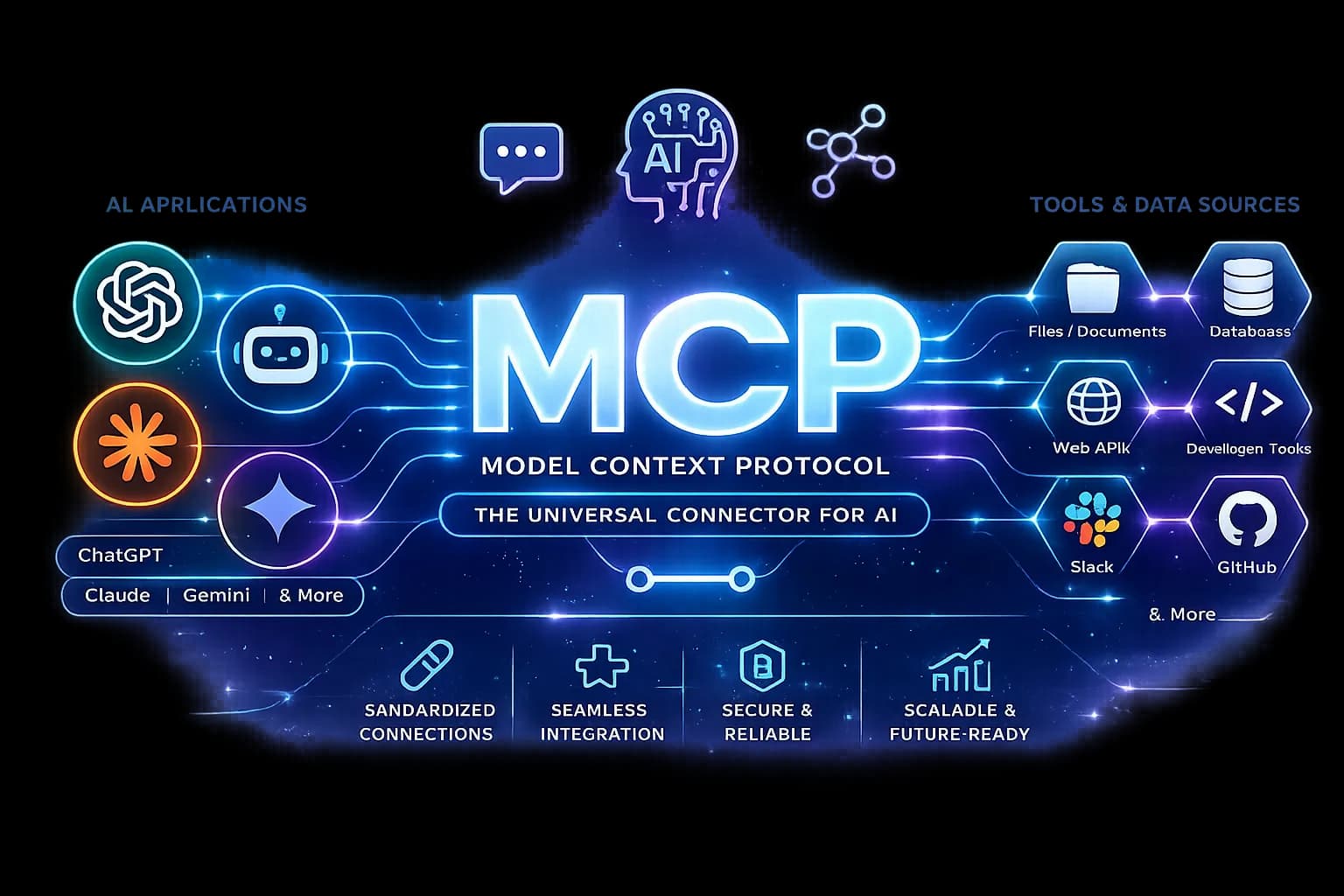
The Model Context Protocol (MCP) is an open-source standard designed by Anthropic that establishes a secure, uniform protocol for AI models to interact with data sources and tools. Think of it as USB-C for AI. Instead of having unique chargers for every phone, camera, and laptop, you have one universal port.
 Hover to zoom
MCP sits between the AI application (the client) and the data sources (the servers). It defines a clear contract for how models can discover tools, read resources, and request actions, independent of the underlying LLM provider.
How MCP Solves the N*M Integration Problem
MCP solves the N*M problem by shifting the integration architecture from multiplicative (N × M) to additive (N + M). Instead of building direct, custom bridges between every model and every database, developers write to a single, shared interface.
| Traditional Point-to-Point Integration | MCP Standardized Integration | |
|---|---|---|
| Complexity Scale | N × M (Multiplicative) | N + M (Additive) |
| Adding a New Tool | Must write custom code for all N models/clients. | Write one MCP server; all MCP clients instantly access it. |
| Switching LLMs | Requires rewriting tool-calling parsers and payloads. | Swap the client configuration; the tools remain untouched. |
| Security Control | Hard to manage; permissions are scattered across custom wrappers. | Centralized at the MCP server level with strict local boundaries. |
With MCP, if you have 10 models and 20 tools, you only need to support the MCP standard. The 10 models act as MCP Clients, and the 20 tools act as MCP Servers. They plug into each other instantly, reducing your integration workload from 200 custom codebases to just 30 standard-compliant implementations.
The Architecture: How MCP Works Under the Hood
MCP operates on a simple client-server architecture over transport protocols like JSON-RPC 2.0. It runs locally over standard input/output (stdio) or remotely over Server-Sent Events (SSE).
 Hover to zoom
- MCP Client: An AI application, IDE (like Cursor or VS Code), or LLM orchestrator that initiates connections and requests data.
- MCP Server: A lightweight process or service that exposes specific capabilities (tools, prompts, or resources) via the MCP protocol.
- Data Sources / Tools: The actual database, filesystem, API, or local command-line utility being wrapped by the server.
Here is a simple example of how an MCP Server exposes a tool using the official TypeScript SDK. This server allows an AI client to safely read local files. If you want to master these architectures hands-on, our <a href="/generative-ai-agentic-ai-course">Production-Grade Generative AI and Agentic AI Engineer Program</a> covers custom tool orchestration in depth, along with related concepts explored in our breakdown on <a href="/blogs/json-vs-toon-llm-data-transfer">JSON vs TOON token optimization</a>.
Writing Your First MCP Server in TypeScript
To understand how lightweight an MCP integration is, let us build a production-grade file-reader server. We will use the official `@modelcontextprotocol/sdk` package running over standard input and output transport.
import { Server } from "@modelcontextprotocol/sdk/server/index.js";
import { StdioServerTransport } from "@modelcontextprotocol/sdk/server/stdio.js";
import {
  CallToolRequestSchema,
  ListToolsRequestSchema,
} from "@modelcontextprotocol/sdk/types.js";
import * as fs from "fs/promises";
import * as path from "path";

const server = new Server(
  {
    name: "secure-file-server",
    version: "1.0.0",
  },
  {
    capabilities: {
      tools: {},
    },
  }
);

server.setRequestHandler(ListToolsRequestSchema, async () => ({
  tools: [
    {
      name: "read_safe_file",
      description: "Read contents of a file within the allowed directory",
      inputSchema: {
        type: "object",
        properties: {
          filepath: { type: "string", description: "Relative path to file" },
        },
        required: ["filepath"],
      },
    },
  ],
}));

server.setRequestHandler(CallToolRequestSchema, async (request) => {
  if (request.params.name !== "read_safe_file") {
    throw new Error("Unknown tool requested");
  }
  const args = request.params.arguments as { filepath: string };
  const absolutePath = path.resolve(process.cwd(), args.filepath);
  const data = await fs.readFile(absolutePath, "utf-8");
  return {
    content: [{ type: "text", text: data }],
  };
});

async function run() {
  const transport = new StdioServerTransport();
  await server.connect(transport);
  console.error("Secure MCP Server running on stdio");
}

run().catch((error) => {
  console.error("Server failed to start:", error);
  process.exit(1);
});
Notice how the server declares its tools via JSON schemas and handles tool execution requests. Because transport happens over stdio, any MCP-compatible client running on your machine can spawn this process as a child process and instantly query its exposed functions without opening network ports.
Configuring MCP in AI Clients like Cursor
Once your server code is compiled, you configure it inside your AI client. For instance, in an AI-native code editor or agent environment, you declare your local MCP servers in a configuration JSON file. This tells the client which background processes to spawn when starting up.
{
  "mcpServers": {
    "file-tools": {
      "command": "node",
      "args": ["/absolute/path/to/mcp-server/dist/index.js"]
    },
    "database-tools": {
      "command": "python3",
      "args": ["/absolute/path/to/db_server.py"]
    }
  }
}
When your editor boots up, it reads this configuration, spawns the Node and Python processes, and initializes the JSON-RPC handshake over standard streams. The AI model inside your editor now sees `read_safe_file` and database querying tools natively in its system prompt context.
Production Reality: Security, Sandboxing, and Observability
Running MCP servers in production introduces unique operational challenges. Because MCP servers execute local code, filesystem operations, or database queries on behalf of an LLM, a prompt injection attack could trick the model into calling unauthorized tools.
- Strict Input Validation: Always validate paths and parameters inside the server before executing system calls.
- Process Isolation: Run MCP servers inside containerized environments or restricted user namespaces when exposing production cloud resources.
- Audit Logging: Log every incoming JSON-RPC request and tool response to monitor agent behavior in real time.
To dive deeper into building autonomous production systems, check out our <a href="/agentic-development-course">Agentic AI Software Engineering: Build & Deploy Production Agents</a> training course.
Where to go from here
Standardizing LLM tool interactions via MCP is transforming how engineering teams build AI wrappers and agentic pipelines. To master advanced model orchestration, multi-agent frameworks, and enterprise RAG deployments, explore the <a href="/generative-ai-agentic-ai-course">Production-Grade Generative AI and Agentic AI Engineer Program</a>.